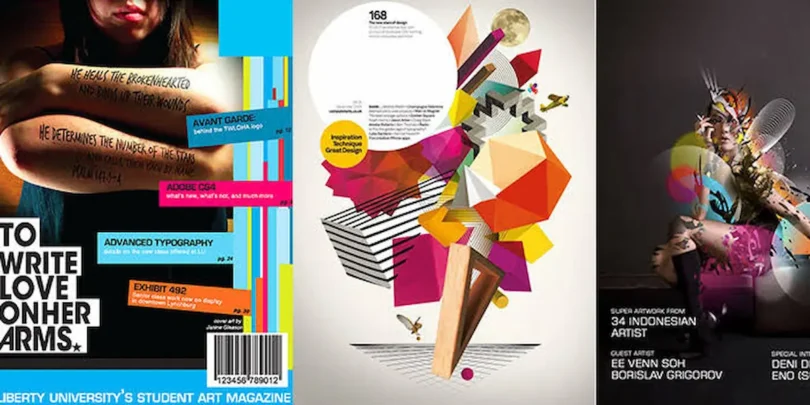

A creative magazine cover page design is the first thing readers notice when they pick up a magazine or view it online. An attractive cover creates a strong first impression, communicates the magazine’s theme, and encourages people to explore its content. Whether you are designing a school magazine, fashion magazine, business magazine, lifestyle publication, or digital magazine, choosing the right design can make your publication look professional and appealing.
If you are planning to create a magazine cover but don’t know where to start, don’t worry. In this guide, you will learn about different magazine cover ideas, essential design elements, useful tools, and practical tips to create an eye-catching cover.
What Is a Magazine Cover Page Design?
A magazine cover page design is the visual layout of the front page of a magazine. It usually includes the magazine’s name, main headline, cover image, publication date, issue number, and other important information.
The main purpose of a magazine cover is to introduce the publication and attract potential readers. It gives people an idea of what they can expect inside.
A good cover design combines images, colors, typography, and creative layouts to create a strong first impression.
Why Is Magazine Cover Design Important?
Your magazine cover plays an important role in how readers view your publication. Before reading an article, people often judge a magazine by its front page.
Here are some reasons why magazine cover design matters.
1. Creates a Strong First Impression
An attractive cover immediately catches the reader’s attention. A professional layout makes your magazine look interesting and encourages people to explore it.
2. Communicates the Magazine’s Theme
Your cover should clearly represent the magazine’s subject. For example, a fashion magazine may feature clothing and models, while a technology magazine may use images of gadgets and digital innovation.
3. Builds Brand Identity
Using consistent colors, fonts, logos, and layouts helps readers recognize your magazine. Over time, these design elements become part of your publication’s identity.
4. Attracts More Readers
A well-organized cover with interesting headlines and attractive visuals can encourage people to pick up your magazine or read its digital version.
Essential Elements of a Magazine Cover Page
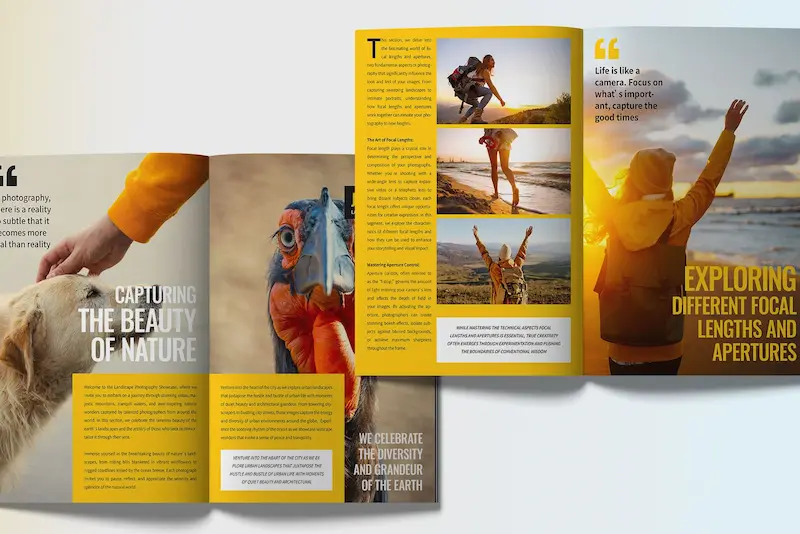
Before creating your cover, you should understand the basic elements that make a magazine cover complete.
Magazine Title or Masthead
The masthead is the magazine’s main title or logo. It is usually placed at the top of the cover and designed with a recognizable font and style.
Main Cover Image
The main image is often the most noticeable part of the design. You can use a professional photograph, illustration, product image, or creative graphic depending on your magazine’s topic.
Main Headline
The main headline highlights the most important story featured in the magazine. It should be interesting, easy to read, and relevant to the audience.
Supporting Headlines
Supporting headlines provide information about other articles included in the magazine. Keep them short and arrange them neatly around the main image.
Publication Date and Issue Number
Adding the publication date, month, year, and issue number helps readers identify a particular edition.
Barcode and Price
Printed magazines may also include a barcode and price near the bottom corner of the cover. These elements are especially useful for magazines sold in stores.
Popular Magazine Cover Page Design Ideas
There are many ways to design an attractive magazine cover. Your choice should depend on the magazine’s topic, target audience, and overall style.
1. Fashion Magazine Cover Design
Fashion magazines usually feature professional photographs of models, clothing, accessories, and beauty trends.
You can use bold typography, elegant fonts, and stylish color combinations to create a premium appearance. Large photographs and simple headlines often work well for this type of publication.
2. School Magazine Cover Design
A school magazine cover should look colorful, creative, and welcoming. You can include school activities, student achievements, educational illustrations, and photographs of school events.
Using bright colors and readable fonts can make the cover more appealing to students and teachers.
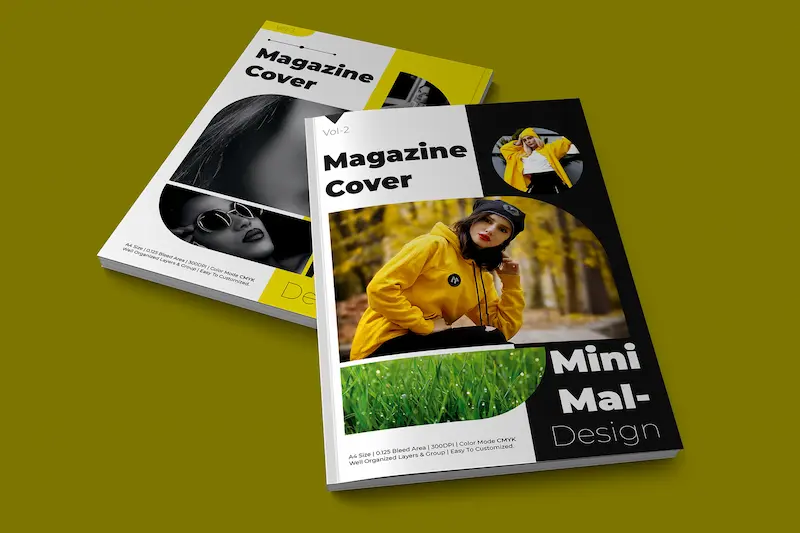
3. Minimalist Magazine Cover Design
If you prefer a clean and modern appearance, minimalist design is an excellent choice.
This style uses limited colors, simple typography, and plenty of empty space. Instead of adding too many elements, focus on one strong image or headline.
4. Business Magazine Cover Design
Business magazines often focus on finance, entrepreneurship, leadership, and industry developments.
You can use professional photographs, modern typography, and neutral colors such as black, white, blue, and grey to create a trustworthy appearance.
5. Technology Magazine Cover Design
Technology magazine covers can include futuristic graphics, digital illustrations, computers, artificial intelligence, and innovative gadgets.
Dark backgrounds, glowing effects, and modern fonts can help create a technology-focused appearance.
You may also like to read this:
What Is an Adult Magazine? Meaning, Content and Types
Magazine Printing Near Me: Costs, Types and Printing Options
Yojana Magazine PDF Download: Complete Guide For Students
Current Affairs Magazine – Stay Updated and Informed
Creative School Magazine Ideas To Inspire Students
How to Create a Professional Magazine Cover Page Design
You don’t need to be a professional graphic designer to create an attractive magazine cover. By following a few simple steps, you can develop a design that looks polished and organized.
Step 1: Choose Your Magazine Topic
First, decide what your magazine is about. Is it related to fashion, education, business, entertainment, sports, or technology?
Your topic will help you choose the right images, colors, fonts, and overall layout.
Step 2: Understand Your Target Audience
Think about the people who will read your magazine. A school magazine should look different from a luxury fashion publication.
Choose a design style that matches your readers’ interests and expectations.
Step 3: Select a Suitable Image
Choose a high-quality image that represents your main topic. Make sure the photograph is clear and visually appealing.
Avoid using blurry, low-resolution, or unrelated images.
Step 4: Choose Fonts and Colors
Use fonts that are easy to read and match your magazine’s personality.
You can use bold fonts for the main title and simple fonts for supporting headlines. Try to keep your color palette consistent instead of using too many different shades.
Step 5: Arrange the Layout
Place your magazine title at the top, the main image in the central area, and supporting headlines around it.
Make sure every element has enough space and that the cover does not look overcrowded.
Step 6: Review and Export Your Design
Before completing your cover, check spelling, image quality, headline placement, and alignment.
For printing, use the required page dimensions, high-resolution images, and the printer’s preferred PDF settings. For digital magazines, export your design in a suitable image or PDF format.
Best Tools for Magazine Cover Page Design
Several online and desktop tools can help you create professional magazine covers. Some are beginner-friendly, while others offer advanced editing features.
1. Canva
Canva is a popular design platform for beginners. It provides ready-made magazine cover templates, fonts, photographs, graphics, and editing options.
You can customize a template by changing its text, colors, images, and layout.
2. Adobe InDesign
Adobe InDesign is a professional publishing tool used for magazine layouts and print publications.
It offers advanced typography, page layout, and document formatting features, making it suitable for experienced designers.
3. Adobe Express
Adobe Express provides simple design tools and customizable templates. You can use it to create attractive magazine covers without learning complicated graphic design software.
4. Microsoft Publisher
Microsoft Publisher has traditionally been used for brochures, newsletters, and publication layouts. It can be useful for users working with existing Publisher files, although Microsoft announced its retirement in October 2026.
Tips for Making an Attractive Magazine Cover
If you want your magazine to stand out, keep these practical design tips in mind:
- Use a high-quality image: A clear and relevant photograph makes your cover more professional.
- Keep the layout simple: Avoid adding unnecessary graphics and too many headlines.
- Choose readable fonts: Make sure your magazine title and important headlines are easy to understand.
- Maintain color consistency: Use colors that match your magazine’s theme.
- Highlight the main story: Give your most important headline enough space.
- Use proper spacing: Keep text and images balanced to avoid a crowded appearance.
- Maintain brand identity: Use consistent design elements across different magazine issues.
- Check the final design: Review the cover carefully before publishing or printing.
Common Mistakes to Avoid in Magazine Cover Design
Even a creative idea can look unprofessional if the basic design principles are ignored.
Here are some common mistakes you should avoid:
- Using too many fonts in one design.
- Adding too many headlines and unnecessary details.
- Choosing low-quality or stretched images.
- Using colors that make text difficult to read.
- Placing important text too close to the page edges.
- Ignoring the target audience.
- Forgetting important information such as the magazine title and publication date.
Keeping your design clean and organized can help you avoid these problems.
Magazine Cover Page Design for Digital and Print Magazines
Magazine covers are created for both printed publications and digital platforms. Although the basic design principles are similar, there are some important differences.
| Feature | Print Magazine | Digital Magazine |
| Image quality | High-resolution images | Screen-optimized images |
| Color mode | Usually CMYK | RGB |
| File format | Print-ready PDF | PDF, JPG, PNG |
| Page size | Based on print dimensions | Based on screen requirements |
| Extra space | Bleed and safe margins | Screen-friendly spacing |
If you are creating a printed magazine, always confirm the dimensions and bleed requirements with your printing service. For digital publishing, make sure the cover looks good on both desktop and mobile screens.
Creative Magazine Cover Page Design Inspiration
If you are still looking for inspiration, explore different magazine styles before starting your project.
You can experiment with the following ideas:
- Photography-based covers: Use one large photograph as the main visual element.
- Illustrated covers: Add original artwork and creative illustrations.
- Typography-based covers: Make the magazine title and headlines the main focus.
- Colorful covers: Use bright shades to create an energetic appearance.
- Black-and-white covers: Create a classic and elegant look with monochrome photography.
Remember, inspiration is useful, but your final design should have its own identity.
Conclusion
A professional magazine cover page design is more than just an attractive picture. It combines creative images, readable typography, balanced colors, and meaningful headlines to communicate the magazine’s identity.
Whether you are designing a school magazine, fashion publication, business magazine, or digital edition, focus on keeping your cover clear, relevant, and visually appealing. Tools like Canva, Adobe InDesign, and Adobe Express can make the process easier, even if you are new to graphic design.
Start with a simple layout, choose suitable images, and experiment with different styles until you find a design that represents your magazine perfectly.
Frequently Asked Questions (FAQs)
1. What is a magazine cover page design?
A magazine cover page design is the front-page layout of a magazine. It includes the magazine title, main image, headlines, publication date, and other important details.
2. Which software is best for magazine cover design?
Canva is a good choice for beginners because it offers ready-made templates and simple editing tools. Adobe InDesign is suitable for professional magazine publishing.
3. How can I make a magazine cover attractive?
Use high-quality images, readable fonts, balanced colors, and a clean layout. Highlight the main headline and avoid overcrowding the cover with unnecessary details.
4. Can I design a magazine cover for free?
Yes, you can use free design platforms such as Canva and Adobe Express. Their free features and templates allow beginners to create attractive magazine covers.